Caregiver Tool: Medication App Selector
Answer a few questions about your care circle to find the most appropriate tool for your medication management needs.
Select your requirements and click "Find Best Tool" to see the recommendation.
Recommended:
Missing a single dose of medication might seem like a small mistake, but for someone managing a chronic condition, it can be a crisis. For family caregivers, the stress of remembering every pill, timing, and dosage is a fast track to burnout. The reality is stark: medication non-adherence costs the U.S. healthcare system up to $289 billion annually and contributes to thousands of preventable deaths. When you're juggling work, kids, and caregiving, a sticky note on the fridge just isn't enough. You need a shared medication calendar-a digital safety net that ensures the right person gives the right dose at the right time.
| Platform | Best For | Key Strength | Major Trade-off |
|---|---|---|---|
| Google Calendar | Basic Coordination | Universal Access | No drug interaction alerts |
| Apple Calendar | iPhone-only Families | iOS Health Integration | Poor Android compatibility |
| Medisafe | High-Risk Meds | Drug Interaction Database | Premium cost for history |
| Caily | Full Care Teams | Task Management (Groceries/Rides) | Occasional sync lag |
Choosing Your Digital Coordination Tool
Before you start typing in dosages, you need to pick the right tool based on who is in your "care circle." Not all calendars are created equal. If your family uses a mix of Androids and iPhones, a general tool like Google Calendar is a free, web-based scheduling service that allows multiple users to view and edit shared layers. It's great for basic scheduling, but it's "dumb" software-it doesn't know that two medications shouldn't be taken together.
If safety is the primary concern-perhaps the patient is on a complex regimen with high-risk drugs-specialized apps are a better bet. Medisafe is a dedicated healthcare application focused on medication adherence and drug interaction warnings. Unlike a standard calendar, it can cross-reference a database of over 650,000 drug combinations to alert you to dangerous interactions. This level of specificity is why specialized apps can reduce missed doses by nearly 47% compared to general calendars.
For those managing more than just pills, Caily is a care coordination app that combines medication tracking with household task management. If you need to coordinate who is picking up the prescription from the pharmacy or who is driving the patient to a doctor's appointment, Caily lets you assign those tasks to specific family members, preventing the "I thought you were doing it" conversations that lead to care gaps.
Setting Up Your Shared Safety Plan
Technology is only as good as the agreement behind it. If you just send an invite to a shared calendar without a plan, people will ignore the notifications. To make this work, you need a structured implementation. Start by designating a "Calendar Captain." This is one person responsible for updating the schedule when a doctor changes a dosage. Research shows that having a single point of contact reduces coordination failures by over 60%.
When configuring the calendar, avoid the mistake of setting reminders for the exact moment the pill needs to be taken. Instead, set alerts for 15 to 30 minutes prior. This gives the caregiver time to get the water, find the pill organizer, and prepare the patient. If the medication must be taken with food, create a specific event for "Meal + Meds" rather than just the medication itself, as improper timing relative to food intake can significantly reduce how well a drug works.
From a technical standpoint, if you're using Google Calendar, you must set up the sharing via a web browser (calendar.google.com), as the mobile app often restricts these administrative settings. Create a dedicated "Medication Only" layer. This keeps the health data separate from your personal appointments, which addresses a major concern for older adults who don't want their children seeing every single detail of their daily schedule but are okay with medication tracking.
Managing Privacy and User Adoption
Privacy is often the biggest hurdle. Many seniors feel a loss of autonomy when their health data is digitized and shared. To handle this, be transparent about who has access. Use the "Least Privilege" principle: the primary caregiver might need full edit access, while a distant relative might only need "view-only" access to see if a dose was checked off.
You also have to fight "notification fatigue." When a phone pings ten times a day, users start silencing them. To prevent this, use a hierarchy of alerts. Use a standard notification for routine vitamins, but use a "critical alert" or a phone call for life-saving medications like blood thinners or insulin. If the patient is tech-savvy, let them check off the dose themselves; if not, the caregiver should be the one to mark it as "complete" to create a verifiable audit trail.
The Danger of Digital Over-Reliance
It's tempting to trust the app 100%, but digital tools can fail. Phones die, Wi-Fi drops, and apps crash. A dangerous trend in caregiving is "false security," where caregivers assume a notification will save them from forgetting. In reality, a significant percentage of medication errors still occur even when reminder systems are in place because users simply swipe the notification away.
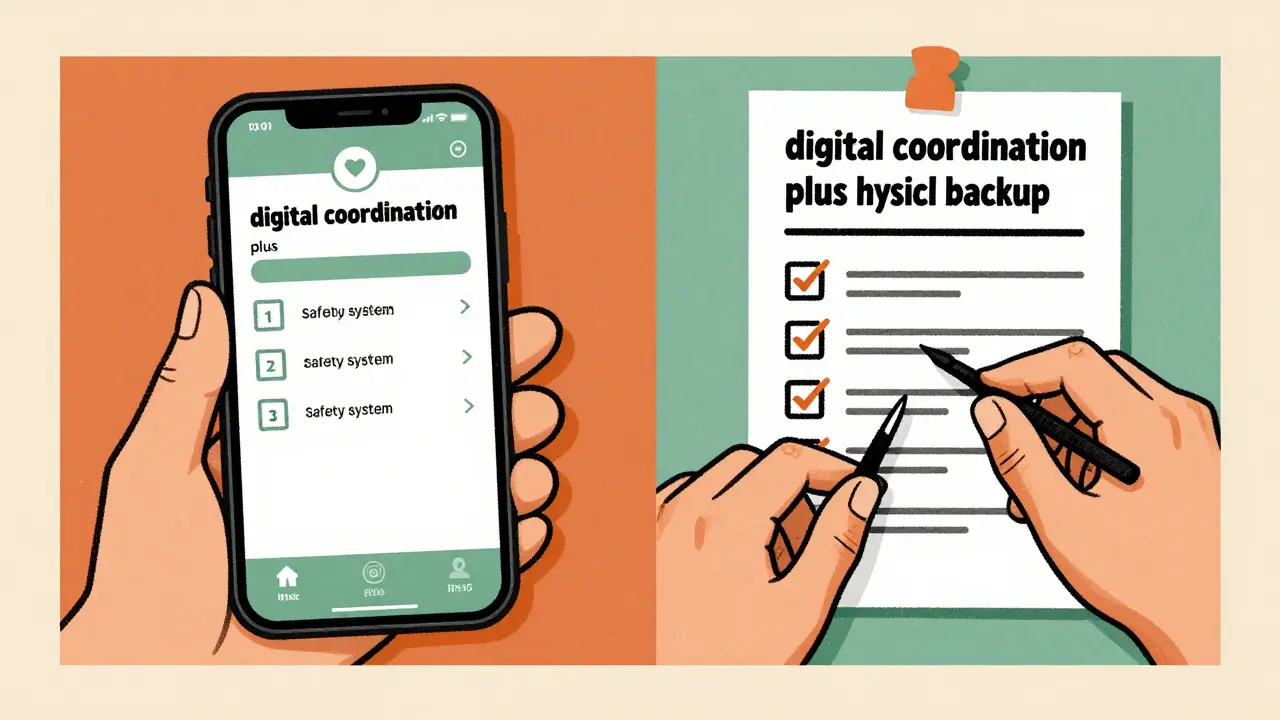
The best safety plan includes a physical backup. Keep a printed version of the medication schedule on the refrigerator or inside a pill organizer. This serves two purposes: it's a fail-safe for tech outages and it provides a tactile reference for the patient. Weekly reviews are also essential. Every Sunday, the Calendar Captain should review the coming week's schedule, check refill levels, and sync any changes from recent doctor visits into the digital system.
| Step | Action Item | Why it Matters |
|---|---|---|
| 1 | Family Alignment Meeting | Defines roles and prevents burnout. |
| 2 | App Selection (General vs. Medical) | Determines if you get drug interaction alerts. |
| 3 | Create Dedicated Med-Layer | Protects privacy and reduces clutter. |
| 4 | Buffer-Time Notifications | Allows time for preparation (water/food). |
| 5 | Print Physical Backup | Eliminates risk of total tech failure. |
Which app is best for someone with very complex medication needs?
For complex regimens, Medisafe is generally the top choice because it includes a massive database of drug interactions. General calendars like Google or Apple cannot warn you if two medications will react poorly together, which is a critical safety risk for patients on multiple prescriptions.
How do I handle privacy if the patient doesn't want everyone seeing their meds?
The best approach is to create a separate calendar layer specifically for medications rather than using a primary personal calendar. You can then share only that specific layer with the necessary caregivers, keeping the rest of the patient's schedule private.
What happens if the internet goes down?
You should always maintain a physical backup, such as a printed medication log or a manual pill organizer. Digital tools are for coordination and reminders, but a physical copy ensures that medication is administered even during a power outage or device failure.
Can these apps automatically import prescriptions from the pharmacy?
Some specialized apps like CareZone offer pharmacy integration to automatically import data, which can save hours of manual entry. However, always double-check imported data against the physical prescription bottle to ensure no errors occurred during the transfer.
Is a shared calendar enough to prevent all medication errors?
No. While they significantly reduce missed doses, errors can still happen if users ignore notifications or if the data entered is incorrect. Human verification and weekly schedule reviews by a designated "Calendar Captain" are necessary to ensure total accuracy.
Next Steps for Your Care Team
If you are just starting, don't try to automate everything in one day. Start by listing all current medications, dosages, and timing requirements on paper. Once you have a master list, hold a brief meeting with your family members to decide who will be the Calendar Captain and which app fits your technical comfort level.
For those already using a system, perform a "stress test." Ask yourself: if the primary phone died today, would the secondary caregiver know exactly what needs to be administered? If the answer is no, it's time to print your backup list and refine your sharing permissions. Moving from a fragmented system to a unified digital calendar is one of the fastest ways to reduce caregiver stress and improve patient safety.